Stock Exec
Turns a simple Google Sheet into a controlled workflow for trade-order consents. Advisors record proposed orders, clients (or their authorized accounts) confirm, and the add-on sends a clean, pre-formatted instruction email to the broker with an audit trail in the sheet.
✺ Frequently asked questions ✺
-
Advisors/Brokers: Standardizes client consent, reduces back-and-forth, keeps a clear record.
Clients: Approve only what’s intended, from their own Google account, with visibility of what was sent.
-
Per-user enforcement: Only the sheet owner (client) can trigger sends for their own email row.
One-click install & setup: Bind to the current sheet, save owner, create trigger.
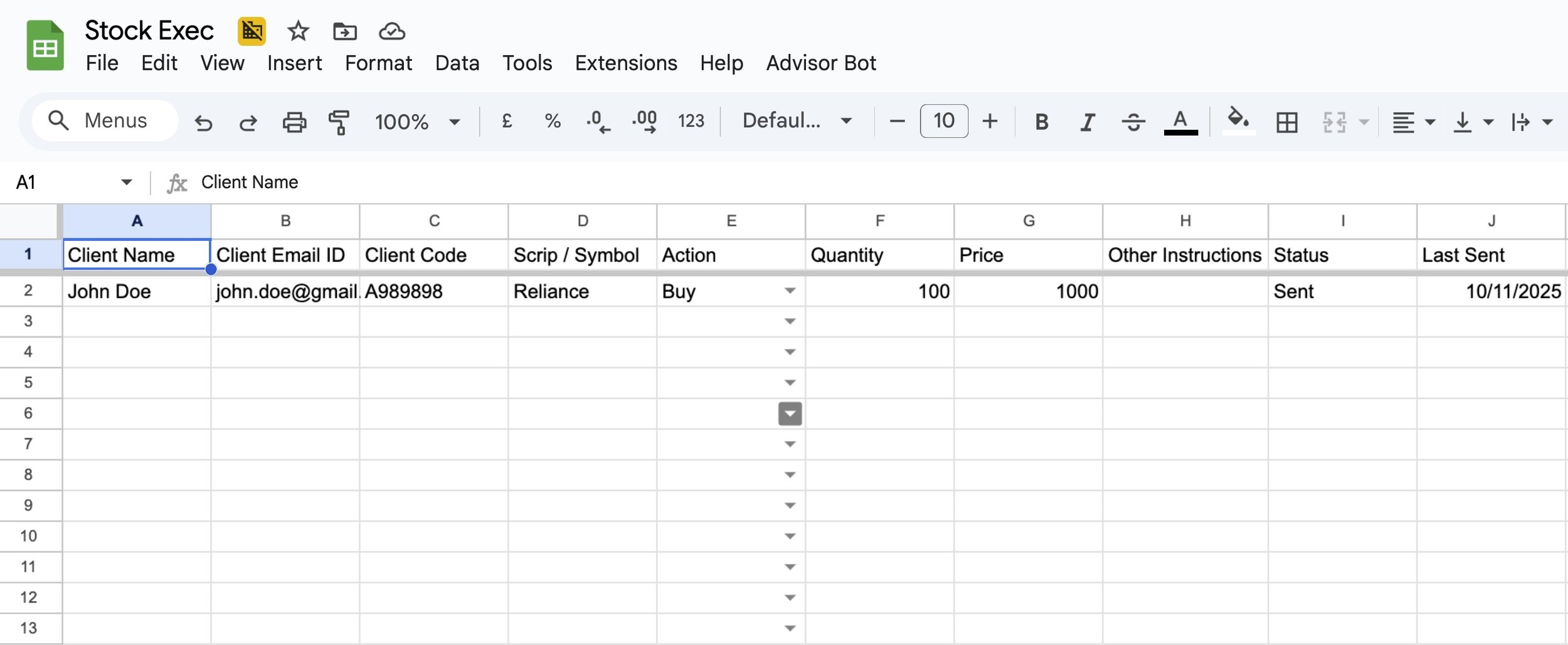
Structured orders: Symbol, action, quantity, price, client code; sends a compliant instruction email.
Built-in audit: Flags “Mailed”, timestamp, and a note per row; separate debug log sheet.
Private by design: Data stays in the user’s Google account (Sheets + Apps Script properties). No external servers.
-
Advisor shares a Sheet template prefilled with client rows.
Client installs the add-on, binds to the sheet, saves owner, and creates the onEdit trigger.
Client reviews a row and sets Status = READY.
Add-on composes and sends the instruction email to the broker from the client’s account, then writes mailed flags and timestamps.
-
Data remains in the user’s Google Workspace (Sheets/Script).
Uses minimal scopes: userinfo.email/profile (identity), spreadsheets (read/write), script.container.ui, script.scriptapp (triggers), and send_mail.
No external data storage or tracking.
-
No. It generates and sends a structured instruction email to the designated broker address with your consent, automatically.